ESP Guide · 10 min read · 2026-10-07
See Through Walls: A Complete Guide to ARC Raiders ESP Features
Configure ARC Raiders player and world visuals, ARC icons, corpses, containers, and filtered loot without an unreadable overlay.
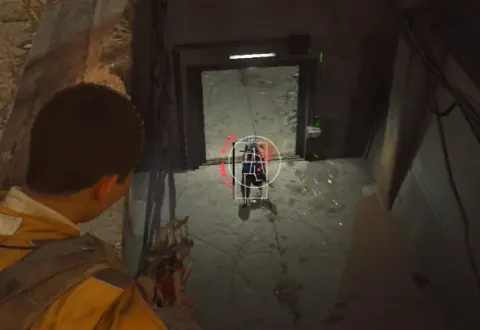
What ARC Raiders ESP features include
ARC Raiders ESP features split into player visuals and world visuals. Player options cover boxes, head circles, skeletons, weapon and level, distance, health bars, and shield bars.
World options cover ARC icons, ARC threat level, ARC corpses, player corpses, loot, and custom selection for containers, items, and ARC groups. The best layout shows only information that supports the current run.
A crowded display can hide movement and prompts. Start with a small visual set, then add one group at a time while checking indoor and outdoor readability.
Build a readable player overlay
Start with a box and distance marker. Add a health or shield bar when that information changes whether you hold, push, or rotate.
Head circles and skeleton lines add body-position detail, but using every shape together can create duplicate information. Compare each style and keep the clearest option.
Use weapon and level details selectively
Weapon and level information can add context before an encounter. Long labels can overlap at range, so keep text compact or limit its display distance.
Separate health and shield bars
Use different colors and consistent positions for health and shields. Similar bars can be difficult to read during fast movement.
Configure ARC icons and threat levels
ARC icons should remain visually different from player markers. Threat-level information adds context, but it should not make the icon harder to identify.
Use separate range controls where available. A nearby machine can affect the next route decision, while distant ARC labels may only add noise.
The ARC Raiders radar guide explains how compact direction markers can complement the main visual layer.
Filter loot by rarity and type
Loot ESP is most useful when rarity and type filters hide low-priority objects. Enable only the categories needed for the current quest, upgrade, or value target.
Keep containers separate from loose loot so the screen explains whether a marker needs interaction. Custom selection can also separate ARC groups and corpse types.
Player corpses and ARC corpses should use different icons or colors. This keeps route and loot decisions clear after a mixed encounter.
Match range and colors to the map area
Indoor areas usually need a shorter marker range because labels can stack through several rooms. Open areas can use a longer range when the extra information remains readable.
Use consistent colors across ESP and radar. A player, ARC unit, loot item, container, and corpse should have the same visual meaning in every profile.
For target-selection setup after the screen is clear, read the ARC Raiders aimbot settings guide.
Compare the exact controls and status
A useful feature list names each player, world, ARC, corpse, container, and loot control. It should also state the supported Windows build and current test time.
Check those details when reviewing arc raiders cheats. Treat compatibility as a dated result because game and anti-cheat updates can change behavior.
Use the current anti-cheat guide instead of relying on an older EAC-only description.
Ready for arc raiders cheats?
Check live EAC status, then buy aimbot, ESP, and Cloud DMA for Arc Raiders on buyarcraiderscheats.net. Need help? Read support or player reviews. Own the game via the official site.
Community replies
Discussion prompts based on common player questions.
ClearSkeleton
Visual tester · Oct 7, 2026
Box plus distance is enough for my base profile. I only add skeleton lines when body position matters in tighter areas.
RarityRoute
Oct 7, 2026
Would you save separate loot filters for upgrade materials and high-value runs?
ShieldColor
Oct 8, 2026
Health and shield bars need clearly different colors. Similar shades are hard to separate during movement.
ARCIndex
Oct 8, 2026
Threat level is useful, but I would keep it beside a simple ARC icon rather than replace the icon.
CorpseFilter
Oct 9, 2026
Separate player and ARC corpse markers make post-fight looting much easier to scan.
Frequently asked questions
Which ARC Raiders ESP options should I enable first?
Start with a player box and distance marker. Add health, shields, or skeletons only when they support a specific decision.
How do I reduce ESP clutter?
Shorten display range and disable duplicate shapes. Filter loot by rarity and type instead of showing every item.
What world visuals are available?
The listed options include ARC icons, ARC threat levels, ARC corpses, player corpses, loot, containers, and custom selection. Keep each category separate when possible.
Should radar and ESP use the same colors?
Yes, consistent colors make quick checks easier. A marker should keep the same meaning across both displays.
Do ESP settings stay compatible after every update?
Not necessarily. Check the supported game and Windows builds again after meaningful game or anti-cheat changes.